The Best Learning Management System
Make Learning Awesome with Award Winning Hybrid Learning Management System for both Physical Classrooms and Online Classrooms through the app and web.
Enquire
Benefits
With plenty of industry-leading features, Vawsum addresses the requirements of the three main stakeholders of an institution very easily: School, Students and Parents
Features of our Learning Management System
Our Solution is designed basis inputs from 1000+ institutions
Vawsum is trusted by Institutions across the Country
Frequently asked questions
If you have any doubts beside these, feel free to reach out to us
1. All my Teachers do not have a Computer. How will they use Vawsum?
Vawsum has been built with a mobile-first approach in mind. 100% of the features are accessible from the Mobile App.
2. My Classes have already started. How do I introduce this mid term?
Vawsum does not interfere with your pedagogy or the way you teach. Hence, you can start using it at any time. Think of introducing a new WhatsApp group in your class
3. I do not have the contact details of all my Parents. How will we start off?
We have an option for self-registration for parents and teachers. This way, you can start off with minimal information.
4. Can I start off with just a few classes?
Yes, you can start off with just a few classes and gradually scale up.
5. Can we run live online classes through Vawsum?
Yes. Vawsum Scholar integrates with Zoom and Google Meet, so teachers can schedule and run live classes without leaving the app. Students join from the same place they access their study material, which keeps teaching going during holidays, emergencies or any period of remote learning.
6. Do you support vernacular languages like Hindi, Bengali?
Users can use any Language they want to. We are currently serving several Hindi and Bengali medium schools.
7. I have 5000 students. Will the product be fast and safe?
We have several lac users use our product on a regular basis. It’s robust infrastructure ensures seamless and safe usage.
8. I want to use the product as a trial for some time.
We would love to discuss this. We will ensure you are comfortable. We can also arrange a Demo Session for your better understanding of our app. Institutions exploring digital learning for the first time can also check our Digital Learning Scholarship Program for support getting started.
9. How do you ensure Data security?
We have 256 bit SSL encryption. Our CTO developed Internet Banking for UBI. You are in safe hands.
10. Can teachers plan lessons and track syllabus completion?
Yes. The Lesson Planner lets teachers plan weekly and monthly lessons against your academic syllabus. The school can then track syllabus completion and monitor teaching progress across every subject and class, and classwork and homework updates are shared digitally with parents.
11. Why do quizzes work better than sending homework?
Because presentation changes what something feels like. A quiz arriving in an app a family already uses gets played rather than performed – children frequently end up answering with a parent alongside them, which is a very different evening from one spent chasing an assignment. The learning is the same; what changed is that somebody wanted to open it.
12. How do teachers set and collect assessments?
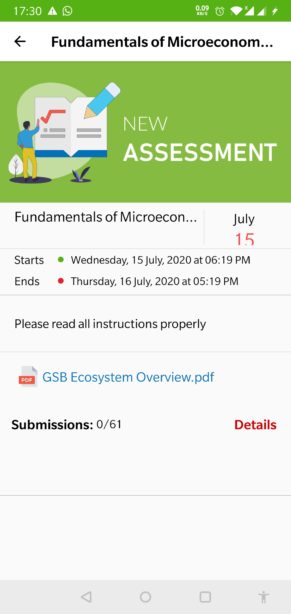
A teacher creates an assessment either by uploading a file or by entering it in the app, students submit from the same app, and the teacher sees at a glance who has submitted and who is still due. Feedback can be sent to an individual student one to one rather than to the whole class.
13. Can we record student achievements and House Points?
Yes. The Achievement Tracker records academic, sports, cultural and co-curricular achievements for every student. It supports House Point tracking and can link achievements to cash prize payouts and rewards, building a complete achievement history alongside academic records.
Presentation is Everything
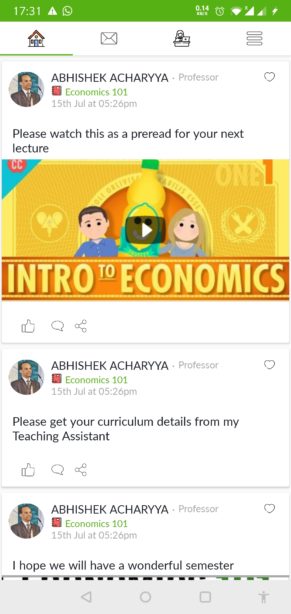
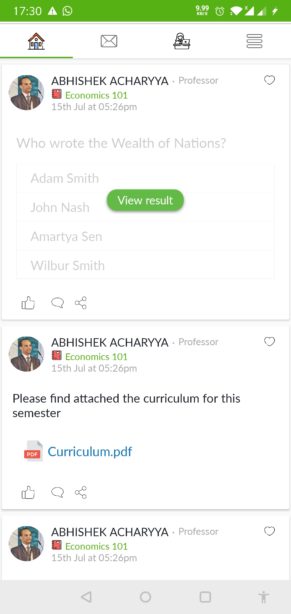
Vawsum has leveraged the Social Network feeds style interface to make studies engaging, fun and effective. If the Student enjoys spending time studying, chances of retaining what the student learnt will be higher.