How do I use VawMe?
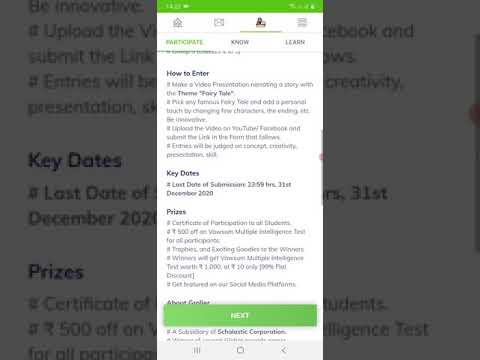
VawMe is opened from the Vawsum app using the third option in the second row, between the menu and message buttons. It has three sections: Participate for entering live and upcoming contests, Know for videos matched to your class, and Learn for videos filtered by board, class and subject.
Steps to open VawMe
- Login to the Vawsum app on your smartphone using your credentials.
- Click on the VawMe option between the menu and message button, the third option in the second row from the top of your screen.
- A new page opens with three options: Participate, Know and Learn.
Steps to enter a contest through Participate
- Open Participate for details of upcoming and live VawMe contests.
- Go through the eligibility criteria of the competition and its rules and regulations, then click Next at the bottom of your screen.
- A new page opens where you fill in the details and make the required payment to register for the competition.
Steps to find and share a video
- Open Know for a list of videos related to your class, or open Learn and select your respective board, class and subject from the dropdown menu.
- Click the share button appearing at the top right corner of the video.
- Select the diary corresponding to the class in which you want to share the video.
- Click Done at the topmost right-hand corner, then click POST to finally share your video.
Watch the video to know more.