Student Safety Software for Schools
A hardware-free, app-based approach to student security: student attendance, OTP-verified gate passes, bus boarding alerts and visitor logging.
Enquire
How Vawsum Secure plus works
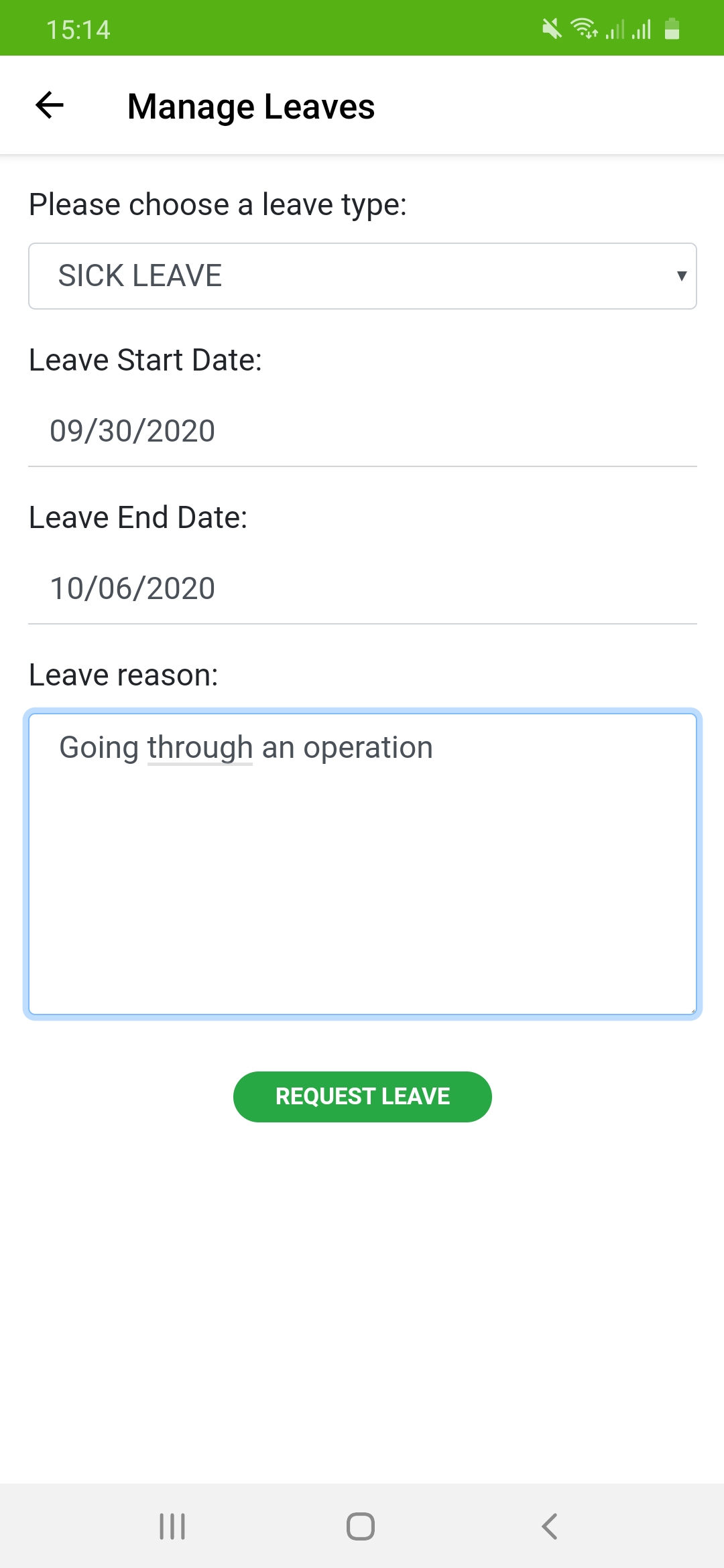
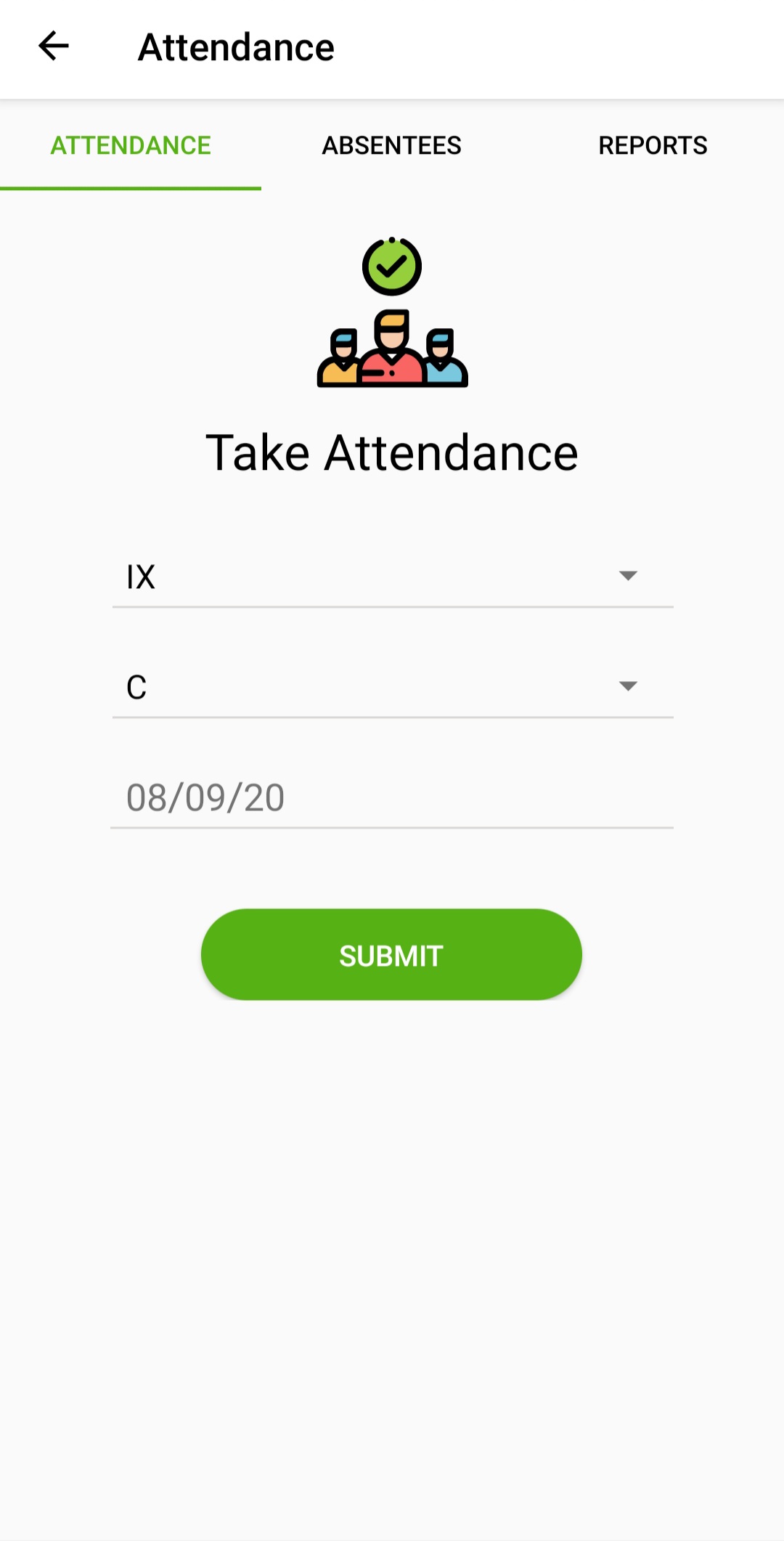
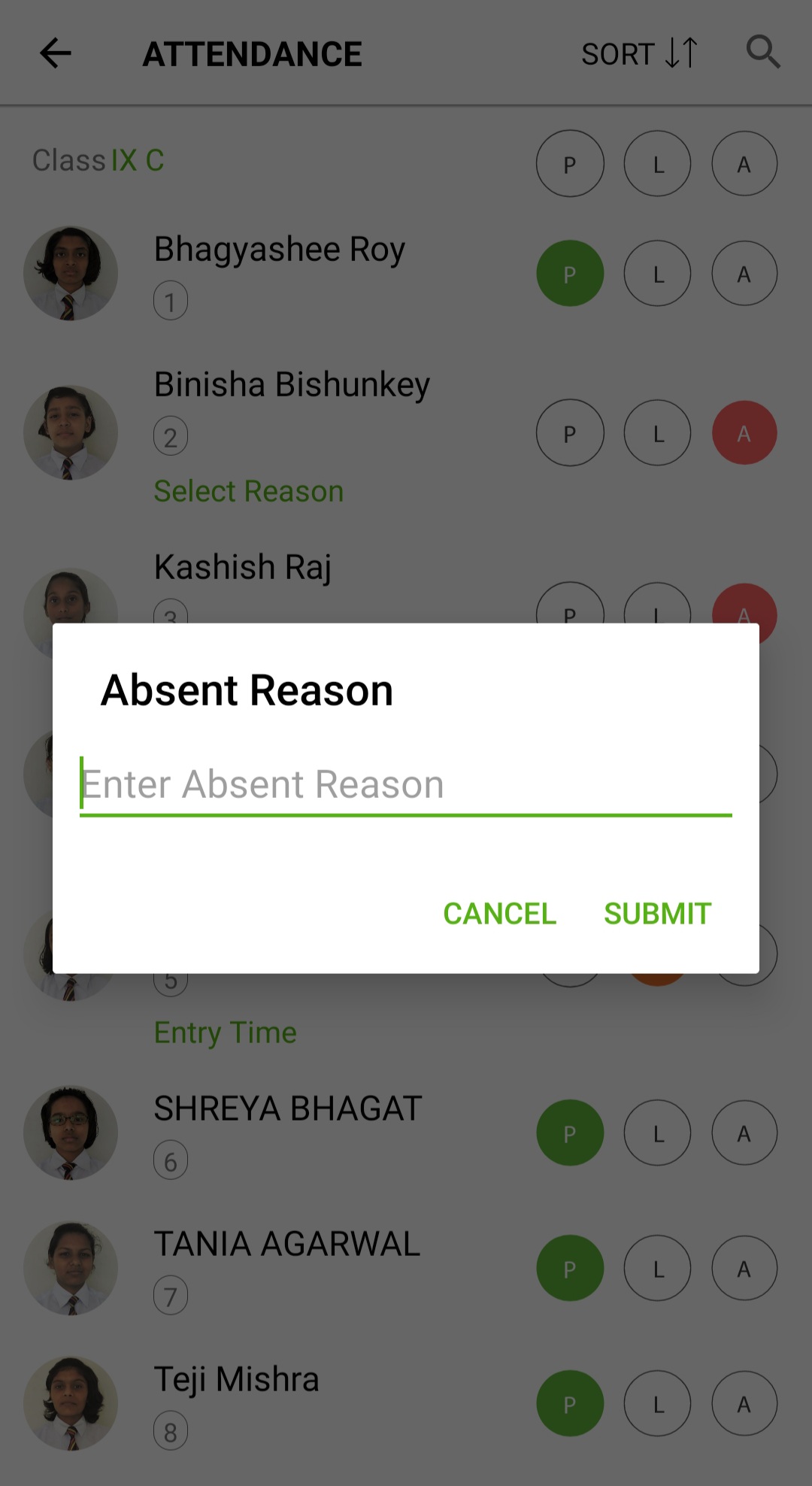
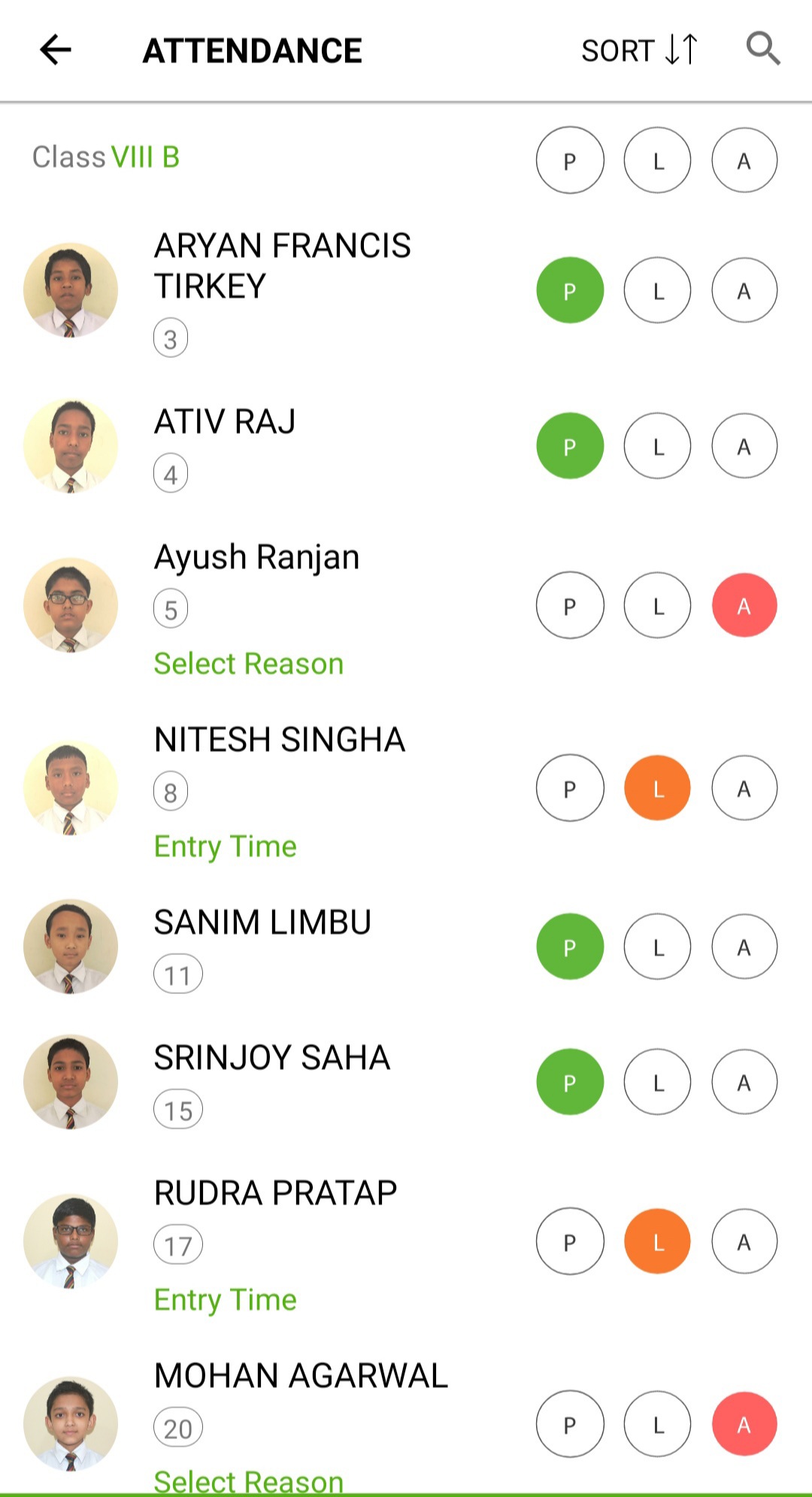
School security usually breaks down at the three moments nobody is watching: when a child does not arrive, when someone unfamiliar comes to collect them, and when a stranger walks through the gate. Secure plus covers all three from a phone, and it does so without asking a school to install anything. Student attendance is taken in the app at day, subject or period level - staff attendance is a separate module - and this is where the phygital idea started. A teacher who was in the room knows who was missing in a way a machine at a doorway does not, so we did not replace the teacher's judgement; we replaced the register with a phone. The moment a child is marked absent the parent is notified and can reply with the reason, so an unexplained absence surfaces in minutes rather than at the end of the day. That combination - a human taking the attendance, a system doing the telling - is what physical registers and hardware turnstiles each get only half right. Collection is verified the way an e-commerce delivery is: an OTP goes to the parent, the escort presents that OTP at the gate, and only then is a gate pass issued. On the school run, the bus assistant scans the QR code on each student ID card at boarding and alighting, giving parents four confirmations a day without tracking anyone by GPS. Visitors are logged with a photograph and timestamped entry and exit. None of this requires equipment, though schools already running biometric, face recognition or RFID gates can connect those instead.
Benefits of Student Safety Software
Secure+ addresses the three groups with a stake in a child's safety at school: the institution, the student and the parent.
Features
Our Solution is designed basis inputs from 1000+ institutions
Vawsum is trusted by Institutions across the Country
Frequently asked questions about our Student Safety Software
If you have any doubts beside these, feel free to reach out to us
1. Can I opt for just the Secure+ Module?
Yes you can. You need not pick the other modules of Vawsum
2. How does the OTP gate pass work?
When someone arrives to collect a child, an OTP is triggered to the parent. The escort collects that OTP from the parent and presents it at the school, and only then is the gate pass issued. It works the same way as an OTP-verified delivery on an e-commerce app.
3. How do parents know their child has boarded the school bus?
The bus assistant scans the QR code on each student ID card as they board and alight. Parents receive four notifications across the day, covering both legs of the school run.
4. Are parents told when their child is marked absent?
Yes. The parent is notified as soon as the child is marked absent and can reply with the reason directly in the app, which leaves a documented record for the school.
5. What does phygital attendance mean?
It means keeping what works about the physical method and adding what only a digital one can do. A teacher who was in the room knows who was missing in a way a machine at a doorway does not, so the teacher’s judgement stays – we replaced the register with a phone. Students are marked Present, Absent or Late with a timestamp, exactly as on paper, and the parent is notified the moment the mark is made. A physical register tells nobody; a hardware turnstile knows nothing about why a child is missing. Phygital is both halves.
6. Can student attendance be taken subject-wise or period-wise?
Yes. Student attendance can be recorded at day, subject or period level, depending on how your institution wants to run it.
7. Does Secure+ cover staff attendance as well?
No. Secure+ handles student attendance and student safety only. Staff attendance and leave – biometric and RFID capture, late and half-day rules, leave balances and approval – are handled in the Staff Attendance and Leave Management System, which is a separate module.
8. Do we need to buy biometric or RFID hardware?
No. Secure+ is designed to run entirely from phones with no equipment to purchase. Hardware is optional rather than required.
9. Does it integrate with existing hardware at my school?
Yes. Schools already using biometric devices, face recognition or RFID gates can integrate them with Secure+. See our integrations page for the hardware we support, or send us your model numbers and we will confirm.
10. Do students need to carry anything for the bus scan?
Students carry their school ID card, which holds the QR code the bus assistant scans at boarding and alighting. No separate device or tag is needed.
11. Can I use an older phone for the bus scanning?
Our app is very light and can be used in old phones as well.
12. My area does not have proper internet. Will Secure+ still work?
Most of our solutions work with little or no internet. Moment internet is detected, the data is synced.
13. Can visitors be pre-registered before they arrive?
Not at present. Visitors are recorded at the gate when they arrive, with a photograph and timestamped entry and exit details.
14. Does the Visitor Scanner work with existing and new visitors?
The Visitor Scanner works with both existing and new visitors at the school. Few Schools use systems like Biometric Scanners for regular users and use the Mobile-based Scanner for New visitors. Full detail, including visitor passes, check-out and bulk upload, is on the Visitor Management System page.
15. How long does it take to go live?
We can configure the system in a few hours if we have all the data
Screenshots
The seamless interface assists easy adoption